Best Digital Frame for Grandparents: Easy Picks for Sharing Memories Across Distance
Answering exactly what to buy for grandparents who want to stay connected, these digital picture frames simplify photo sharing via WiFi, Frameso/Frameo apps, and cloud storage. Ideal buyers vary from tech-friendly seniors to family members who want a simple gift that sends memories instantly. Below is a quick comparison, followed by detailed sections for each top pick and a practical buying guide.
| Product | Screen Size | Memory | Key Benefit |
|---|---|---|---|
| BIGASUO 64GB 15.6″ Frameo | 15.6″ | 64GB | Large display, secure photo sharing with Frameo |
| Aura 10″ HD Digital Picture Frame | 10″ | 32GB (unlimited cloud options with Aura system) | Easy setup, no subscription, fast transfers from anywhere |
| AEEZO 10.1″ Digital Picture Frame | 10.1″ | Built-in 32GB | AiMOR app sharing with auto-rotate and photo import from microSD |
| BIGASUO 10.1″ Frameo | 10.1″ | 32GB | Frameo-enabled sharing from mobile devices |
| Skylight 10″ Frame | 10″ | Cloud-based (access via email) | Plug-and-play gifting with simple email-based sharing |
Bigasuo 15.6″ Frameo WiFi Digital Frame

The 64GB 15.6″ Frameo digital frame is best for households that want a large, immersive display with private photo sharing. Best for tech-savvy adults who value private transfers via the Frameo app and long storage capacity for thousands of photos. It supports a wide range of image formats and MP4 videos, making it versatile for nostalgic slideshows.
Who it’s best for: families seeking a high-visibility frame with secure, private sharing, and ample onboard storage that minimizes frequent imports. Why selected: the big screen provides clear viewing from across the room and the Frameo ecosystem keeps memories circulating securely among invited relatives.
Caution: Frameo use is limited to 2.4GHz Wi‑Fi and you’ll need to format SD/USB drives correctly (FAT32) for compatibility. The USB port only supports USB flash drives, not direct PC transfers.
Aura 10″ HD Digital Picture Frame

The Aura 10″ frame is ideal for gift-giving with quick setup and free, unlimited cloud storage. It’s best for grandparents who prefer a subscription-free, user-friendly experience with simple app-based sharing. Aura’s emphasis on privacy and reliable automatic updates helps ensure memories stay current across devices.
Who it’s best for: first-time digital-frame owners who want a straightforward, elegant display without ongoing fees. Why selected: Aura is highly regarded for easy setup, strong privacy safeguards, and seamless photo transfers from a connected phone.
Caution: While cloud storage is free and unlimited, practical considerations include dependent Wi‑Fi reliability and device compatibility with family members’ phones for sharing.
AEEZO 10.1″ Digital Picture Frame

The AEEZO frame is best for households that want flexible sharing through the AiMOR app and easy orientation with auto-rotate. It supports up to 32GB storage internally and accepts larger storage via SD/USB. It emphasizes hands-free viewing with auto-rotation and a responsive 10.1″ IPS touchscreen.
Who it’s best for: families needing a robust local-storage option with straightforward app-based sharing. Why selected: the auto-rotate and local media support help keep portraits and landscapes displayed correctly with minimal setup.
Caution: Photos and videos must be imported into the frame from SD cards or the app; direct playback from SD cards can be limited depending on format and size.
BIGASUO 10.1″ Frameo Digital Frame
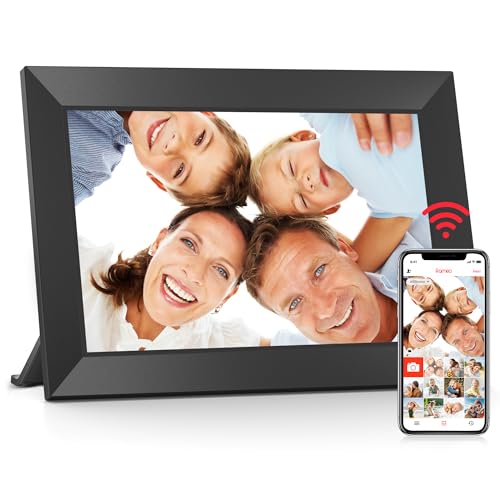
This 10.1″ Frameo model from BIGASUO blends compact size with private sharing via Frameo. Best for small-space setups or as a thoughtful gift for grandparents who prefer a compact display that still supports remote photo sharing from phones. It’s ideal when a larger frame is not feasible.
Who it’s best for: grandparents with limited desk space or those new to digital frames. Why selected: Frameo integration ensures secure, family-only sharing with a simple, touch-friendly interface.
Caution: Smaller screens can be harder to view from a distance; ensure the frame is placed where it’s easy to see from seating areas.
Skylight Frame – 10 Inch Digital Frame

The Skylight frame is best for families seeking a simple photo-sharing experience via a dedicated email address. It is ideal for non-technical grandparents who want easy plug-and-play sharing with minimal app involvement. The email-based sharing mechanism makes it straightforward to receive memories.
Who it’s best for: grandparents who prefer a simple setup without frequent app interactions. Why selected: Skylight’s email-based flow reduces friction for first-time users and makes daily sharing predictable.
Caution: The photo transfer flow relies on email, which may introduce delays depending on external email systems and spam filters.
Aura 10″ HD WiFi Frame With Mat

The Aura 10″ frame with mat and cloud storage is best for grandparents who want a premium look with added privacy and cloud backup. It supports quick sharing from a phone and adds a mat for an elegant presentation, making it a refined gift for mantel displays.
Who it’s best for: gift-givers seeking a high-end frame with a focus on privacy and seamless app-based sharing. Why selected: Aura’s reputation for private sharing, free unlimited cloud storage, and straightforward setup make it a reliable choice for gifting.
Caution: Aura’s strong cloud approach depends on reliable internet; outages or slow connections can impact delivery of new photos.
Buying Guide: What To Consider
- Screen size and viewing distance: Larger frames are easier to see from across a room, while smaller ones fit on desks or benches.
- Storage and expandability: Built-in storage is convenient, but check SD/USB compatibility and formats (FAT32 is commonly required).
- Sharing method: App-based (Frameo, Aura, AiMOR) versus email-based sharing; consider who will send photos and how often.
- Privacy and security: Look for private sharing networks and user-invited access. Cloud storage policies matter for long-term viewing.
- Setup simplicity: Grandparents often prefer intuitive interfaces and minimal steps to start displaying photos.
- Video support: If you want short clips, confirm MP4 support and maximum video length.
- Power and mounting: Consider wall-mountable options or freestanding stands for placement flexibility.
- Reliability and updates: Frames with active software updates reduce compatibility issues over time.
Frequently Asked Questions
- What is Frameo and how does it work?
– Frameo is a private photo-sharing app that allows invited family members to send photos and short videos to a compatible digital frame over Wi-Fi. - Do I need a subscription for these frames?
– Many frames offer free cloud storage or local storage; some brands provide unlimited cloud storage without ongoing subscriptions, but always verify current policies. - Can older photos be displayed at optimal quality on a frame?
– Most frames support common formats (JPG, PNG, BMP, MP4). Ensure image resolution is suitable for the screen to avoid upscaling artifacts. - Is a large screen better for grandparents?
– A larger screen improves visibility from a distance, but space and placement should guide size choice. - What if the Wi‑Fi is unstable?
– Frames with internal memory and SD/USB support can continue displaying stored photos even during outages, but sharing new photos may be delayed. - Are these frames easy to set up for seniors?
– Most models emphasize simple setup and user-friendly touchscreens or minimal app steps, though real-world ease varies by model.