Best Interactive TV Solutions for Modern Classrooms
Answering the need for engaging, collaborative learning, this guide spotlights five interactive displays that fit classrooms, libraries, or training spaces. Each product is chosen for reliability, 4K visuals, and multi-user touch capabilities. Ideal buyers include teachers seeking collaborative boards, administrators equipping multi-room spaces, and tech-enabled classrooms aiming to replace traditional whiteboards with interactive displays.
| Product | Why It Fits | Best For |
|---|---|---|
| COOLHOOD 65″ Smart Board | Large 4K display with 20-point touch; Android 13; open app ecosystem; wireless sharing | High-traffic teaching spaces needing robust collaboration |
| EUNIVON Smart Board 55″ | 4K resolution; Android-based; wall mount included; easy screen casting | Medium-sized classrooms or meeting rooms |
| KEINONE 55” Interactive Board | 4K visuals; open app ecosystem; strong multitasking with 8GB RAM | Multi-purpose rooms needing flexibility |
| JASZDOT 55″ Smart Board | 4K touch, Android 14, built-in video conferencing hub | Hybrid classrooms and remote collaboration |
| JAV 75″ Smart Board | 75″ 4K, AI features, wall-mount included; enterprise-grade | Large spaces requiring a premium, immersive experience |
Below each option, you’ll find who benefits most, potential limitations, and a quick comparison to help you decide quickly. The selections emphasize devices that integrate well with common classroom workflows—screen sharing, annotation, and interactive lessons—without requiring extensive IT support.
COOLHOOD 65″ Smart Board

Best for: Large classrooms and tech-heavy spaces. This 65-inch 4K interactive whiteboard runs Android 13 with 128GB storage and a powerful octa-core processor, enabling smooth multitasking and quick access to apps. Great for interactive lessons, real-time annotations, and multi-device screen sharing across macOS, Windows, iOS, and Android.
Why selected: The large display and multi-touch capacity support simultaneous student participation. It includes built-in tools like smart voting, screenshots, and a timer to streamline class activities and group work.
Caution: The stand is sold separately, and the unit ships with a wall mount. Ensure appropriate mounting and space planning in your classroom before purchase.
EUNIVON Smart Board 55″

Best for: Medium-sized classrooms or meeting rooms needing reliable screen sharing. The board supports screencasting from various devices and offers an Android-based system with wall mount included for easy installation.
Why selected: It provides robust app ecosystem support and easy annotation on 4K content, making it suitable for educators who want to annotate slides or share visually rich material in real-time.
Caution: Some users may require additional accessories for extended multimedia sessions or specialized teaching apps beyond the built-in options.
KEINONE Interactive 55” Board

Best for: Schools and offices that want a versatile hybrid display with 4K visuals. Features 8GB RAM and 128GB storage with an open app ecosystem for custom educational tools and presentations.
Why selected: The combination of 4K resolution, 20-point touch, and a flexible operating environment supports dynamic classroom activities, from annotating lessons to running teaching apps side-by-side.
Caution: Like other large boards, installation needs proper mounting space and steady power access; verify room layout before purchase.
JASZDOT 55″ Smart Board
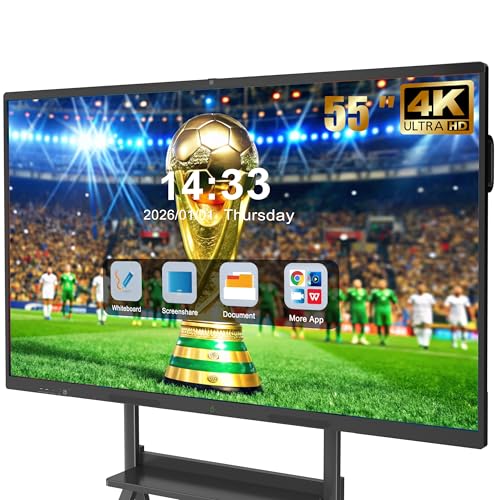
Best for: Hybrid classrooms and remote collaboration environments. The 55-inch 4K touchscreen offers Android 14, built-in video conferencing, and multi-user writing with 20-point touch.
Why selected: The included video conferencing hub helps manage hybrid classes without extra devices, while cross-platform wireless sharing keeps students engaged in real-time. It’s a strong pick for classrooms prioritizing remote participation.
Caution: The brightness and color performance can vary with lighting; ensure the room has adequate lighting for optimal display clarity.
JAV 75″ Smart Board Pro
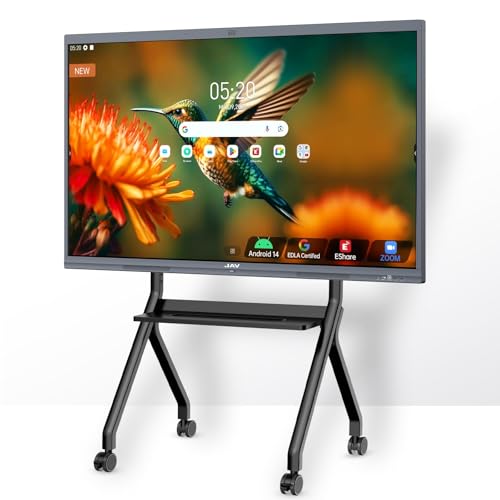
Best for: Large classrooms or auditoriums that require immersive teaching and robust conference features. The 75-inch 4K display supports 4K/60Hz wireless casting, AI tools, and an integrated microphone array for clear sound during lessons.
Why selected: Enterprise-grade hardware and AI-enhanced tools support advanced teaching workflows, including real-time annotation, cloud storage integration, and cross-platform collaboration.
Caution: Higher cost and larger footprint mean it’s best suited to rooms with substantial wall space and appropriate mounting infrastructure.
Buying Guide
What to consider when choosing an interactive classroom display
- Display size and space: Match board size to room dimensions and typical audience size.
- Touch performance: Look for multi-touch support (at least 10-20 points) and low latency for natural pen-to-paper accuracy.
- Operating system and apps: An open app ecosystem allows educators to tailor software to lessons and standards.
- Collaboration features: Wireless screen sharing, annotation, and voting tools boost student participation.
- Connectivity: Ensure compatibility with common devices (Mac/Windows/iOS/Android) and ease of integration with existing projectors or displays.
- Mounting and placement: Some units include wall mounts; others require separate stands—plan for cable management and accessibility.
- Durability and maintenance: In busy classrooms, industrial-grade construction and easy software updates reduce downtime.
FAQ
- What is the main benefit of an interactive whiteboard for classrooms?
It enables real-time annotation, collaborative problem solving, and immediate student engagement on a large shared canvas. - Do these boards work with Chromebooks or Google Workspace?
Yes, many support cross-platform sharing and can integrate with Google Drive or Google Meet via built-in or connected apps. - Is a 4K display necessary for classrooms?
4K provides crisp text and visuals, which helps with reading small details on slides, charts, and diagrams from a distance. - What installation considerations are important?
Wall space, mounting stability, and accessibility for teachers and students are critical to maximize usage and safety. - Can these boards function as standalone TVs?
Many include smart TV-like features, but their primary design is interactive teaching; verify if you need entertainment-grade features separately. - Do these devices require ongoing subscriptions?
Some models offer Google EDLA certification and zero-subscription licensing, but always check for any required software licenses.