Best ID Card Scanners for Easy Verification and Quick Capture
If you need a reliable scanner for ID cards, these models offer fast grip-and-go performance, capable front-and-back captures, and robust software compatibility. This guide highlights five top options and who they’re best for, from busy clinics to nightlife venues. The focus is on fast, accurate card handling, compact designs, and straightforward workflows that reduce manual entry. Use the table below to compare at a glance and pick the right tool for your setting.
| Product | Best For | Notes |
|---|---|---|
| Ambir ImageScan Pro 687-AS Duplex | Hospitals, clinics, insurance offices | Duplex scanning for front/back in one pass |
| Ambir PS667 Simplex A6 | Small workspaces, mobile desks | Ultra-compact, USB-powered |
| BizCardReader Medical Insurance Card and ID | Minimal desks, single-side scans | Lite app, single-side reading |
| Ambir nScan 690gt-AS | Space-constrained reception areas | Front-facing eject, compact footprint |
| MinorDecliner ID Scanner for Bars and Clubs | Payment and age-verification venues | Fake-ID checks option, compliance logging |
Ambir ImageScan Pro 687-AS Duplex Card Scanner

The Ambir ImageScan Pro 687-AS is a duplex card scanner designed for high-volume card handling. It captures front and back in a single pass, delivering images quickly even with raised-character cards. This model is especially suitable for clinics and insurance offices that need both sides of a card in one workflow. It relies on standard TWAIN drivers, ensuring compatibility with common software environments. Best for busy reception areas where speed and reliability matter, this scanner reduces turnaround time for patient IDs, insurance cards, and driver’s licenses.
Who it’s best for: medical offices, clinics, and front-desk teams that require dual-sided capture without extra steps. Why selected: duplex capability and fast three-second scans streamline patient verification. Limitation: setup may require driver installation and software configuration to maximize TWAIN compatibility.
Ambir PS667 Simplex A6 Card Scanner
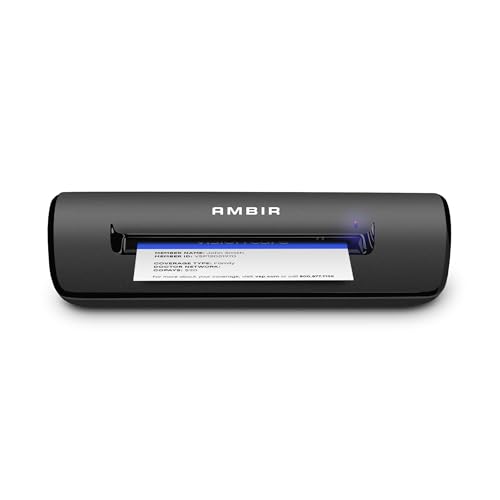
The Ambir PS667 is a rugged simplex card scanner that plugs directly into USB power. It is compact, weighing under a pound and about 8 inches long, making it ideal for crowded desks, mobile carts, or small registration areas. With a three-second-per-scan rate, it effectively handles identification and insurance cards, including cards with raised characters. The PS667 is best for smaller operations that still require reliable, quick card capture and a durable device that doesn’t rely on a wall outlet.
Who it’s best for: small clinics, mobile registration desks, or temporary checkout counters. Why selected: USB-powered convenience and compact footprint. Limitation: single-sided scanning means you won’t automatically capture both sides without a second pass.
BizCardReader Medical Insurance Card and ID Card Scanner

The BizCardReader BCR901 Lite focuses on compact form with simplex scanning. It’s optimized for scanning medical insurance cards, laminated cards, IDs, and photos in a small footprint. The included Scan-ID LITE app helps manage a database of card images, though note that this lite version does not read driver licenses and requires manual data entry for card information. This option suits environments where space is at a premium and a simple, low-cost solution is preferred.
Who it’s best for: small offices needing a space-saving, single-side scanner with a lightweight software tool. Why selected: ultra-compact footprint and easy image capture. Limitation: does not read driver licenses and requires manual entry for card data.
Ambir nScan 690gt-AS High-Speed Vertical Card Scanner

The Ambir nScan 690gt-AS is an ultra-compact, high-speed vertical card scanner. Its front-facing eject mode simplifies workflow: drop cards in the front, and the device handles subsequent ejection in under two seconds. It emphasizes broad TWAIN compatibility, ensuring it can integrate with thousands of software setups. This model is well-suited for limited-space reception areas where quick turnaround is essential and a space-efficient design is a priority.
Who it’s best for: crowded reception desks needing a fast, space-saving solution. Why selected: front-facing eject and compact footprint. Limitation: vertical scanning may require a stable card feed to avoid jams in high-traffic times.
ID Scanner For Bars And Clubs

This model targets age verification and general ID scanning in hospitality settings. It supports unlimited standard ID scanning, with a compliance log and optional fake-ID detection powered by Intellicheck. It operates on standard power and is designed for fixed countertops rather than portable use. A key benefit is ongoing logging and optional checks, but it requires purchase of scan credits for fake-ID verification beyond the included freebies.
Who it’s best for: bars, clubs, and venues requiring ongoing age verification and compliance logs. Why selected: built-in fake-ID detection option and unlimited standard scans. Limitation: not portable and relies on a fixed power source.
DocketPORT 667 Simplex Card Scanner
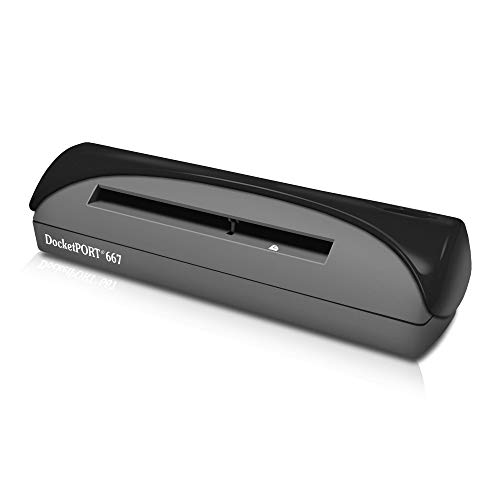
The DocketPORT 667 Simplex Card Scanner emphasizes ultra-compact design and USB-powered convenience. Its compact form fits small desks and can operate directly from a computer without a wall outlet. It ships with DocketScan software, enabling direct scanning to PDF format. This model is suitable for users who need a simple, space-saving card scanner with straightforward document export capability.
Who it’s best for: small offices that value portability and simple PDF output. Why selected: USB-powered and compact, with direct-to-PDF workflow. Limitation: simplex (single-side) scanning means you must re-feed for back sides if needed.
Buying Guide
What features matter most for ID card scanning?
Key features include duplex versus simplex scanning, card handling speed, and drive compatibility. Duplex scanners capture both sides in one pass, saving time in high-volume settings. Simplex models are often more compact and affordable but may require extra passes for double-sided cards.
How important is space and power for your setup?
Compact footprints and USB-powered devices are ideal for crowded desks or mobile stations. If power outlets are scarce, a USB-powered model reduces cable clutter and setup time.
What software compatibility matters?
TWAIN compatibility ensures the scanner works with most existing software. If you rely on specific patient-management or ID software, verify driver support before purchase.
Do you need additional verification features?
Some models offer fake-ID detection or compliance logging. This is valuable for venues and clinics that must log scans and detect potential fraudulent IDs.
What trade-offs should you expect?
More compact units may limit double-sided capture or advanced features. If your workflow hinges on high-volume, robust card handling, a larger model with duplex scanning and strong software support may be preferable.
Best practices for deployment
- Place scanners at comfortable reach for rapid processing.
- Enable TWAIN drivers and test with your primary software.
- Establish a simple naming convention for captured images to streamline records.
- Regularly update firmware and software to maintain compatibility and security.
FAQ
- What’s the difference between simplex and duplex card scanners?
Duplex scanners capture front and back in one pass; simplex scanners require a second pass for the opposite side. - Are these scanners suitable for drive-through or high-traffic environments?
Yes, models with fast scan times and compact footprints work well in busy front desks, clinics, or bars with high throughput. - Do all models read driver licenses?
Not all do. Some are limited to IDs or insurance cards; verify license-reading capability if needed. - Is fake-ID detection common in ID scanners?
Only specific models include optional fake-ID checks; if this is essential, choose accordingly. - Can I use these scanners with any software?
TWAIN compatibility ensures broad software support, but verify with your specific system to avoid compatibility issues. - Do these scanners require an outlet?
Many options are USB-powered and do not require a dedicated power outlet, increasing portability and ease of use.