Best Touchpad for Windows: High-Precision, Multi-Gesture Controllers
The following touchpads are tailored for Windows users seeking high-precision navigation, multi-gesture support, and ergonomic comfort. This guide highlights five top options, comparing wired and wireless designs, gesture capabilities, and connectivity. Each product is evaluated based on compatibility with Windows 10/11, ease of use, and practical productivity features to boost everyday computer interactions.
| Product | Brand | Format | Key Strength |
|---|---|---|---|
| ProtoArc T1 Plus Bluetooth Trackpad | ProtoArc | Wireless | Multi-gesture, 3-device Bluetooth |
| ProtoArc T1 Wired Trackpad | ProtoArc | Wired | Full-area click, large gesture area |
| ProtoArc T1 Wired Trackpad (Black) | ProtoArc | Wired | Slim aluminum, tactile buttons |
| Tacti Trix Wireless Bluetooth Trackpad | Tacti Trix | Wireless | 3 connection modes, premium feel |
| Contour Design Touchpad | Contour Design | Wireless | Ergonomic wrist-friendly layout |
ProtoArc Bluetooth Trackpad T1 Plus (Grey Black)

The large wireless ProtoArc T1 Plus trackpad is designed for Windows 11/10 laptops and desktops. It supports Bluetooth connectivity with three devices, allowing quick switching between a laptop, PC, or tablet. Users should note some gestures may vary by system, and Bluetooth connections can briefly disconnect/reconnect on certain setups. A rechargeable 500 mAh battery provides up to 50 hours of use per charge, and a Type-C port enables fast charging with the included cable. This model emphasizes multi-gesture support and a substantial touch area for precise navigation.
ProtoArc Wired USB Trackpad (Grey Black)

This large wired ProtoArc trackpad for Windows 10/11 emphasizes convenience with dual physical left and right buttons and full-area single-click functionality. The device supports two-finger taps for right-click actions, simplifying text and document selection and drag operations. While it remains Windows-centric, the wired connection provides stable performance without Bluetooth interruptions, making it a reliable option for desktop setups or where wireless interference is a concern.
ProtoArc Wired USB Trackpad (Black)
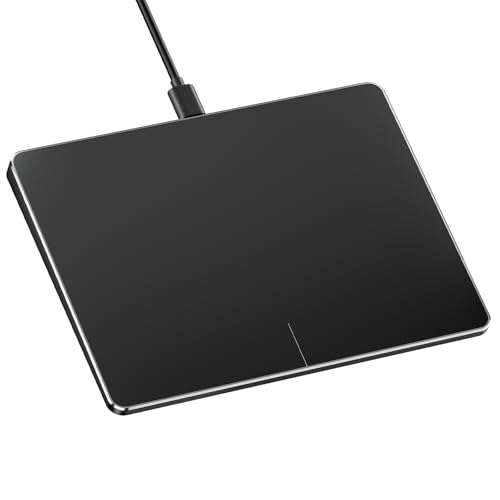
This large wired trackpad delivers left and right physical click regions at the bottom, enabling natural left-click and right-click actions. The full-area single-click supports left-clicking across the pad, while two-finger single-tap enables right-click. The setup is straightforward for Windows 10/11 computers, with a compact, portable profile that fits neatly on desks and under keyboards, suitable for both desktop and laptop use.
ProtoArc Bluetooth Trackpad T1 Plus (Black)

The T1 Plus Bluetooth trackpad mirrors the Windows-centric design, enabling seamless switching across three devices via Bluetooth. While Bluetooth-only connections provide flexibility away from cables, users should verify Windows device compatibility and be aware of potential intermittent disconnects on some configurations. The 500 mAh battery supports long runtimes between charges, with Type-C charging recommended for convenience and speed.
Tacti Trix Wireless Bluetooth Trackpad

Designed for Windows 10 and 11 PCs, the Tacti Trix trackpad offers triple connection modes: Bluetooth 5.0 (one device at a time), 2.4G wireless, and USB-C wired. A USB-C adapter is included for versatility. The surface measures 6.3 x 4.7 inches with a glass touch area and a slim metal body, providing a premium feel and all-day comfort. Its multi-mode connectivity is ideal for users who alternate between devices or prefer wired flexibility in certain environments.
ProtoArc Bluetooth Trackpad White & Silver
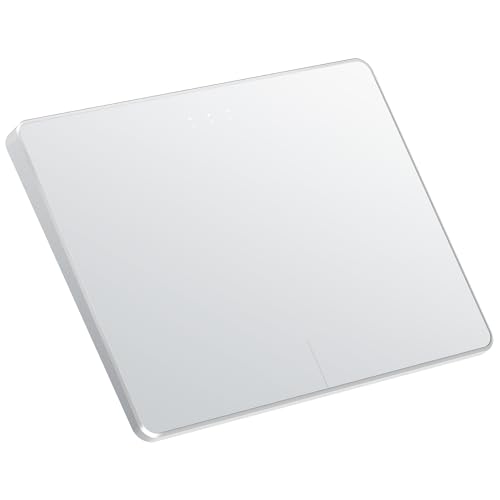
This Windows-focused wireless trackpad emphasizes multi-gesture support with a stylish white-and-silver design. Like other Bluetooth ProtoArc models, it supports three-device pairing and a long battery life. Users should consider Bluetooth stability on their devices, as occasional disconnects may occur depending on hardware and software environments. The included Type-C charging cable ensures quick top-ups for prolonged use.
Buying Guide: Key Purchase Considerations
- Connectivity: Choose between wired, Bluetooth, or multi-mode options. Wired provides a stable connection with zero interference, while Bluetooth enables device switching but may introduce occasional dropouts on some systems.
- Device Compatibility: Most models target Windows 10/11. Verify supported systems and any OS restrictions (Mac, Chrome OS, or Linux may be unsupported).
- Gesture Support: Look for multi-finger gestures, two-finger scrolling, pinch-to-zoom, and edge navigation. Ensure the gestures align with your typical workflow.
- Touchpad Size and Comfort: A larger surface often improves precision and reduces finger fatigue. Ergonomic designs or wrist rests can mitigate strain during long sessions.
- Buttons and Click Mechanism: Some models offer physical left/right buttons; others rely on click-anywhere surfaces. Consider how you typically select text or drag content.
- Battery Life and Charging: Wireless pads require battery management. Confirm battery lifespan per charge and whether the included Type-C cable supports fast charging.
- Portability vs. Desk Use: Slim, portable pads are ideal for travel, while larger pads may improve accuracy for desktop setups.
- Durability and Build Quality: Aluminum or glass surfaces tend to offer a premium feel and longer life under frequent use.
- Price and Value: Compare feature sets, build quality, and any bundled accessories (adapters, charging cables) to assess value beyond price alone.
In evaluating these options, Windows users may prefer a model that balances gesture-rich input with reliable connectivity. If uninterrupted performance on a desk is key, wired options provide stability. For flexibility and device switching across laptops and tablets, Bluetooth-enabled tracks pads with multi-device support are compelling. Lastly, ergonomics and surface feel should align with personal comfort and long-term usage expectations.