Best Track Pad for Mac: Top Multi-Gesture Mac Trackpads for 2026
Answering the question “which track pad for Mac should I buy?” this guide highlights the best options for Apple users and keyboard-free workflow. If you want fluid multi‑touch gestures, Force Touch, and a roomy surface for long editing sessions, consider premium Apple models. For mixed Mac and Windows setups, third‑party options offer broad compatibility. This overview helps buyers choose by use case—creative work, productivity, or casual navigation—and explains why each pick fits specific needs.
| Product | Best For | Key Benefit |
|---|---|---|
| Apple Magic Trackpad — White | Mac power users seeking large glass surface | Edge‑to‑edge surface with Force Touch |
| Apple Magic Trackpad — Black | Stylish Mac setups and dark-themed desks | Same advanced gestures on a dark finish |
| Apple Magic Trackpad 2 (Renewed) | Budget-conscious buyers wanting longer battery life | Built‑in rechargeable battery; larger surface |
| POLARMETA Wireless Trackpad | Mac & Windows users needing cross‑platform use | 7.5″ glass surface; 2.4G USB receiver option |
| Trackpad with 2.4G USB Receiver | Stable wireless connection for mixed devices | Large touch surface; multi‑gesture control |
Apple Magic Trackpad — White

The White Magic Trackpad provides a wireless, rechargeable option with a full range of Multi‑Touch gestures and Force Touch. It features an edge‑to‑edge glass surface for comfortable scrolling and swiping. Best for: Mac users who want a large, responsive surface with precise gesture control. Limitation: may be a bit larger than some desk setups, requiring more space.
Apple Magic Trackpad — Black
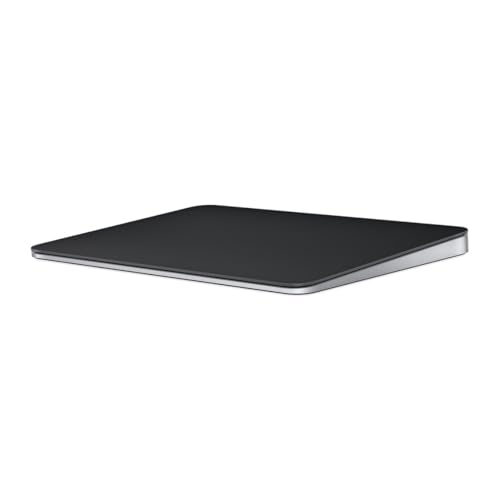
Similar to the white version, the Black Magic Trackpad supports Wireless use, multidimensional gestures, and Force Touch with a sleek dark finish. Best for: users who prefer a black‑themed setup and large surface area for precise navigation. Caution: appearance can show fingerprints more visibly on the glass surface.
Apple Magic Trackpad 2 (MJ2R2LL/A) — Renewed
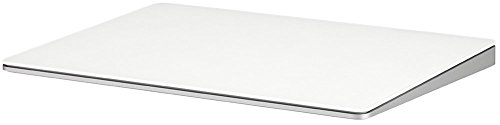
Trackpad 2 features a built‑in rechargeable battery and a larger edge‑to‑edge surface, with Force Touch and automatic pairing with Mac. Best for: buyers seeking a larger surface and longer‑lasting battery at a lower upfront cost via renewed items. Caution: Renewed items may have cosmetic wear and generic packaging.
POLARMETA Wireless Trackpad for Mac & Windows

This trackpad offers full multi‑gesture support on macOS and Windows 10/11, plus a large 7.5‑inch frosted glass surface and a built‑in physical click. Best for: users who need Mac and Windows compatibility in one device and prefer an ergonomic design. Caution: uses a 2.4G USB receiver for connection rather than Bluetooth, which may be less convenient on some setups.
Trackpad with 2.4G USB Receiver — Multi‑Touch

Offers seamless Mac & Windows compatibility with a large 7.5‑inch surface, precise touch, and quiet tapping. Best for: those who want a flexible, cross‑platform device with a quiet experience. Limitation: USB receiver connection requires plugging in a dongle, which may be less convenient than Bluetooth in some environments.
Apple Magic Trackpad: Wireless, Bluetooth, White
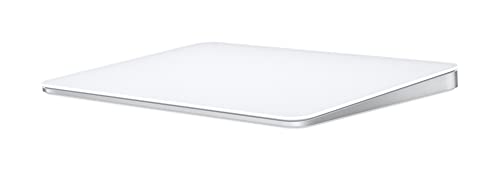
Wireless Bluetooth connectivity with a rechargeable battery and a depth of Force Touch features. Best for: users who want a ready‑to‑use Mac or iPad pairing experience with a familiar Apple surface. Caution: requires compatible Bluetooth‑enabled device and supported OS version.
Function Trackpad — Three-Mode

Supports Bluetooth, 2.4G, and USB‑C wired connections with a large 160x115mm glass surface and multi‑device switching. Best for: users who want flexible connection options and the ability to switch between devices quickly. Limitation: third‑party trackpad may have a different feel than Apple’s, which could affect gesture familiarity.
Buying Guide
What should you consider when buying a Mac trackpad?
- Connection type: Bluetooth vs 2.4G USB receiver. Bluetooth offers wireless freedom but may occasionally lag on busy networks; USB receivers can provide stable performance with multiple devices.
- Surface size: Larger surfaces improve comfort for long sessions and precision for design work; smaller pads save desk space but may feel cramped.
- Gestures and features: Force Touch and multi‑gesture support enable advanced navigation and content interaction. Ensure your macOS version supports the features you want.
- Platform compatibility: If you use Windows or mixed environments, consider cross‑platform trackpads like POLARMETA options or those with multi‑device switching.
- Battery life and charging: Built‑in rechargeable batteries reduce ongoing costs; check charge duration and charging method (Lightning, USB‑C).
- Aesthetics and build: Glass surfaces look premium but can show fingerprints; color and finish may impact desk setup harmony.
Frequently Asked Questions
Do Mac trackpads work with Windows computers?
Some third‑party trackpads provide full multi‑gesture support on Windows, while others are designed primarily for macOS. Check the product description for cross‑platform compatibility.
What is Force Touch, and why does it matter?
Force Touch detects pressure variation on the trackpad surface, enabling deeper interactions with content and context‑aware gestures.
Can I use a trackpad with a non‑Apple computer?
Yes, several options offer Windows compatibility or universal 2.4G receivers, but gesture support may vary by OS.
Is a wireless trackpad better than a wired one?
Wireless models reduce desktop clutter and enable mobility, but wired or USB receiver options can offer steadier connections in some setups.
Are renewals a good value for Trackpads?
Renewed items can be cost‑effective and perform like new, but packaging and accessories may vary, and warranty terms differ from new products.