Best Tracker Tags for Keys and Everyday Essentials
Find the right tracker tag to keep keys and everyday items in sight. This guide highlights five dependable options, clarifying who each product is best for and why it stands out. Ideal for iPhone users, Android users, families sharing items, and travelers seeking low-maintenance tracking.
| Product | Best For | Key Benefit |
|---|---|---|
| ANNNWZZD Tag 4 Pack | Apple Find My users | Apple Find My compatibility with crowd-sourced location |
| MSEBENT Tracker Tag (4 Pack) | iPhone users seeking multi-pack value | IP67 compatible, no subscription, shared Find My access |
| UGREEN FineTrack Air Tracker Tags | Apple Find My ecosystem fans | Two-year battery life, easy one-tap pairing |
| Tile by Life360 Mate (2-Pack) | Families needing multiple trackers | Cross-platform SOS and item ring feature |
| NVQ Key Finder | iOS-only Find My integration | Lost Mode with Find My network notifications |
Buyer tips: Look for compatibility with your device ecosystem (Find My for Apple, Google Find Hub for Android), battery life, and whether sharing features fit your household needs. Consider whether you want a slim tag, a rugged option, or a multi-pack for several items.
ANNNWZZD Tag 4 Pack: Apple Find My Compatible
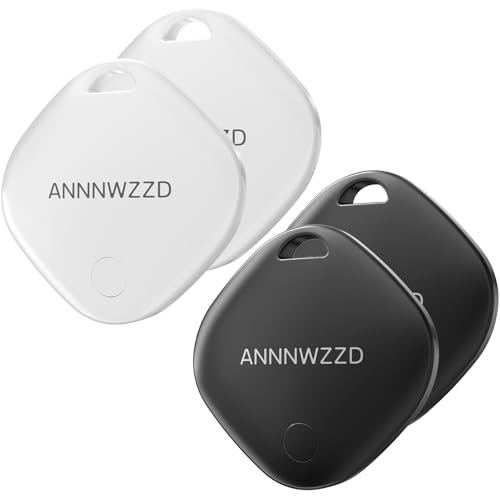
Best for Apple Find My users who want a four-pack option. The ANNNWZZD trackers use the Find My app for locating items within Bluetooth range and viewing recent locations on Apple’s Find My network. The set includes four tags for keys, luggage, backpacks, wallets, and more. They provide localized sounds to help locate items nearby and send remind alerts if an item goes out of range. The privacy-forward network relies on anonymous location sharing through Apple devices.
Who it’s best for: iPhone owners who want a simple, privacy-conscious tracker with no separate app or subscription. Choose this if you already rely on Find My and want multiple trackers at a lower per-item cost. Caution: The system is iOS-only, so Android users should look for alternative ecosystems.
MSEBENT Tracker Tag (4 Pack)
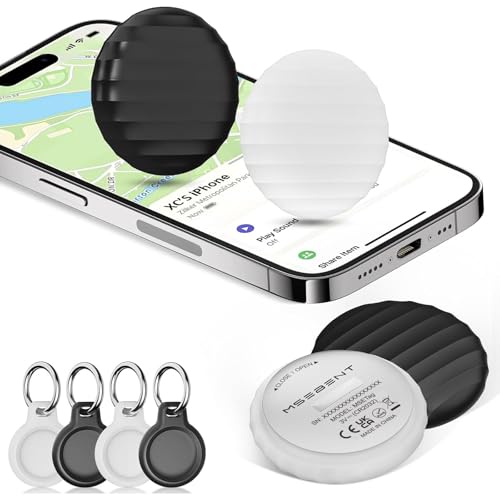
Best for iPhone users who want a 4-pack with Find My compatibility and no ongoing fees. These tags are designed to work within the Find My network and allow sharing with up to five other users. They emphasize a slim profile and a replaceable battery, with a claimed 6–10 months between changes depending on use. The absence of a monthly fee makes them a practical choice for families tracking multiple items.
Who it’s best for: households needing multiple trackers that work within Apple’s Find My ecosystem and want straightforward setup. Limitation: Android users cannot use these trackers; they require iOS devices.
UGREEN FineTrack Air Tracker Tags (4 Pack)

Best for Apple Find My fans who want a ready-to-use iOS accessory with easy sharing. The FineTrack tags pair quickly with the Find My app and can be shared with family members using iOS 17 or later. A two-year replaceable battery signifies longer-term usability, and the network leverages Apple’s expansive device ecosystem for locating items even when out of Bluetooth range. Loss alerts help with quick retrieval.
Who it’s best for: users who prefer seamless Find My integration and value extended battery life. Caution: Not compatible with Android devices; iOS-only.
Tile by Life360 Mate (2-Pack)

Best for families needing cross-platform compatibility and a shared tracking experience. The Tile by Life360 Mate offers SOS alerts and an item-finding feature via a free app. The two-pack is suitable for households that want a reliable solution on both iOS and Android. The system emphasizes ease of use and quick location via ring or app notification. A limitation: some advanced features may require ongoing participation in the Life360 ecosystem.
NVQ Key Finder (iOS Only)

Best for iPhone users who rely on Find My integration. The NVQ Key Finder connects to Apple’s Find My app and supports nearby item ringing and the Find My network for locating items that are farther away. It offers Lost Mode to display contact information and get notified when the item is detected by the network. Best when you want a straightforward iOS solution with Find My compatibility. Caution: Android users should select a different ecosystem.
Buying Guide
- Compatibility: Choose Find My (Apple) or Google Find Hub (Android) depending on your device. Mixed ecosystems may require separate trackers per platform.
- Battery life: Look for replaceable batteries or long-life designs to minimize maintenance. Some trackers offer 6–10 months, others up to 2 years.
- Sharing and multi-user access: If you need multiple people to track the same item, verify how many users can share access and how to configure it (Find My sharing, Life360, etc.).
- Form factor and durability: Slim tags are easier to attach to keys, wallets, and luggage; consider IP ratings if the tracker may see water or dust exposure.
- Privacy and security: Ensure updates are encrypted and that location data is only accessible to authorized users.
- Cost considerations: Some ecosystems require no monthly fees; others offer additional features via subscriptions. Weigh the value of extra services against your needs.
Frequently Asked Questions
- Which tracker is best for Apple Find My users?
ANNNWZZD and NVQ tie for iOS-focused use, with NVQ prioritizing Find My network integration and LiFi’s ecosystem simplicity.
- Can these trackers work on Android devices?
Yes: tiles like Life360-based options provide Android compatibility, while many Find My-based trackers are iOS-only.
- Do trackers require a monthly subscription?
Most trackers in this list do not require a separate subscription, though some advanced sharing or cloud features may vary by brand.
- Is a multi-pack better than a single tracker?
Yes for households or travelers who want to attach trackers to multiple items; it reduces per-item cost and ensures coverage.
- What should I consider when attaching trackers to luggage?
Look for durable, compact tags with secure attachment options and good battery life to withstand travel.
- Are there privacy concerns with crowd-sourced tracking?
Most trackers use encrypted, anonymous location sharing; always review privacy settings and data access in the app.