Best VR Headsets for Education That Engage Students and Streamline Learning
The best VR headsets for education blend kid-friendly design, learning apps, and comfort for long lesson sessions. This guide highlights five options well-suited for classrooms or home study, helping educators and parents choose devices that fit different age groups and curricular goals. The top picks favor ease of use, educational content, and robust compatibility with common smartphones. Suitable buyers include teachers seeking classroom tools, homeschoolers, and parents wanting engaging STEM or math activities for kids.
Quick comparison of the chosen products
| Product | Best For | Key Benefit | Limitations |
|---|---|---|---|
| REALITEX 3D VR Headset | Beginners and younger students | Wide compatibility, free beginner content | May require standard phone size adjustments |
| HeroMask VR Headset + Math Games | Hands-on math practice | Teacher-designed math games and engagement | Content depends on included apps; may vary by device |
| CoCerKet VR Headset With Built-in Headphones | Immersive media and 3D learning | Integrated audio for immersive lessons | May be bulkier for small faces |
| DESTEK V5 VR Headset (5.5–7.0″) | YouTube VR and multimedia lessons | Extensive app library and clear visuals | Android-focused controller features; iOS limitations noted |
| 3D VR Headset by Haptique | General VR experiences for classrooms | HD lenses and comfortable fit | Content selection may vary by device |
REALITEX 3D VR Headset for Kids
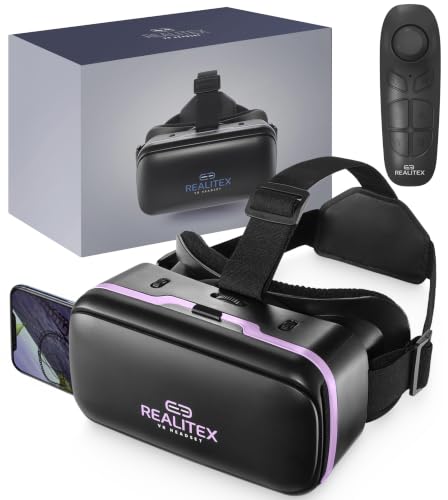
Best for beginners and younger students, the REALITEX headset supports iPhone and Android and fits a wide range of phone models. It comes with free VR content suitable for entry-level exploration, making it a straightforward option for early learners and classroom demonstrations. Best used for introductory science or geography experiences with guided activities. Avoid this if you need advanced controllers or high-end PC-tethered VR experiences.
HeroMask VR Headset + Math Games

Best for math-focused learning, HeroMask integrates engaging virtual reality math games designed for ages 5–12. The included headset supports a smartphone and provides games that reinforce mental math, speed, and logic with teacher-informed design. Choose this if the goal is to increase number fluency through play. A limitation is that success depends on using compatible apps and the device’s processor speed for smooth gameplay.
CoCerKet VR Headset With Bluetooth Remote
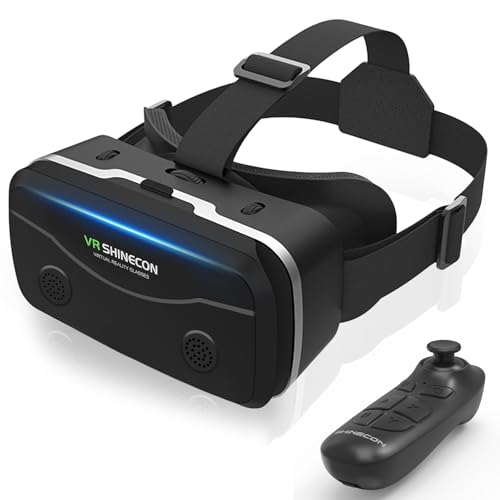
Best for multimedia lessons and interactive demonstrations, this headset includes a Bluetooth controller for easy navigation. It features a 120-degree ultra-wide field of view and 1080p resolution with aspherical lenses for clearer visuals. It’s well-suited for 3D videos, virtual field trips, and science simulations. Limitations include potential fit issues for smaller faces and the need to ensure the paired device supports Bluetooth functionality.
LamTrancail VR Headset With Controller

Best for broad age groups, this headset provides a controller-assisted experience and adjustable lenses. It emphasizes comfort with a customizable fit, making it suitable for longer classroom sessions. Use this if you need a general-purpose device; avoid if you require high-end gaming with advanced PC connectivity.
Vornetil VR Headset

Best for wide-screen experience and 3D content, Vornetil offers a 360-degree panorama and adjustable interpupillary distance. It is suitable for students exploring immersive media and basic VR cinema as part of lessons. A potential limitation is variable app availability and content quality, which may affect lesson alignment.
DESTEK V5 VR Headset for Kids & Phone

Best for classrooms that want a large app library and clear visuals, the DESTEK V5 supports 5.5–7.0″ screens and includes a controller with YouTube VR compatibility. It emphasizes eye protection with anti-blue light lenses and a comfortable, breathable design. A caution is the iOS-only limitations on certain controller functions, so plan accordingly for mixed-device environments.
Buying Guide: Key Considerations For Educational VR Purchases
- Device compatibility: Ensure the headset fits the students’ phone models and OS versions. Some models work best with Android, others with iPhone, and some support both.
- Educational content: Prioritize headsets that offer or easily access educational apps, simulations, and guided activities aligned with your curriculum.
- Comfort and fit: Look for adjustable straps, breathable padding, and lenses with adjustable focus to accommodate different ages and comfort needs.
- Durability and safety: Choose headsets designed for classroom use or repeated handling by kids, with clear safety guidance for screen time and use breaks.
- Audio design: Built-in headphones can help immersion and reduce external distractions; separate audio accessories may be needed in noisy classrooms.
- Ease of use: Simple setup, quick content access, and minimal maintenance reduce downtime during lessons.
- Budget and scalability: Consider cost-per-unit and whether the solution scales to larger classes or homeschooling groups.
Frequently Asked Questions
- What should I look for in a VR headset for education?
– Look for classroom durability, a broad range of educational apps, compatibility with common smartphones, and comfortable, adjustable fits for students of different ages. - Are these headsets safe for young children?
– Choose models with adjustable IPD, anti-fatigue padding, and recommended age ranges; require supervision and breaks to protect eyes during use. - Can VR help teach science and math effectively?
– Yes, through interactive simulations, 3D models, and games that reinforce concepts like geometry, physics, and data interpretation. - Do these headsets require a PC or console?
– Most listed models are phone-based and do not require a PC. Some premium options can work with external devices, but the selections here focus on smartphone compatibility for accessibility. - How can I integrate VR into lesson plans?
– Start with guided demonstrations, followed by student-centered exploration, then assessments or reflection activities tied to learning objectives.